Mastery of the iPod Starts Here
Jailbreak iPhone and iPod Touch Using BlackRa1n – Windows
These are instructions on how to jailbreak your iPhone and iPod touch using BlackRa1n for Windows.
The BlackRa1n jailbreak will work with the latest 3.1.2 firmware; however, it will not hacktivate your iPhone. This means that if you are not on an official Apple approved carrier BlackRa1n cannot activate it.
For those with the new iPod touch, BlackRa1n only supports a tethered jailbreak. This means that once jailbroken you should not let your battery die. If it does die you will need to reconnect it to the computer and use BlackRa1n to boot it.
WARNING: Even though the GeoHot jailbreak supports 3.1.2 do not update if you are on iPhone OS 3.0.1 or 3.0. You will lose your unlock. Use PwnageTool to safely update to 3.1 without performing a baseband update. If you really must have 3.1.2 then wait for the next version of PwnageTool. If you have already updated to 3.1 or 3.1.2 without using PwnageTool then you’ve lost the ability to unlock for the time being. You can now use BlackRa1n to at least regain your jailbreak
 Ok lets begin…
Step One
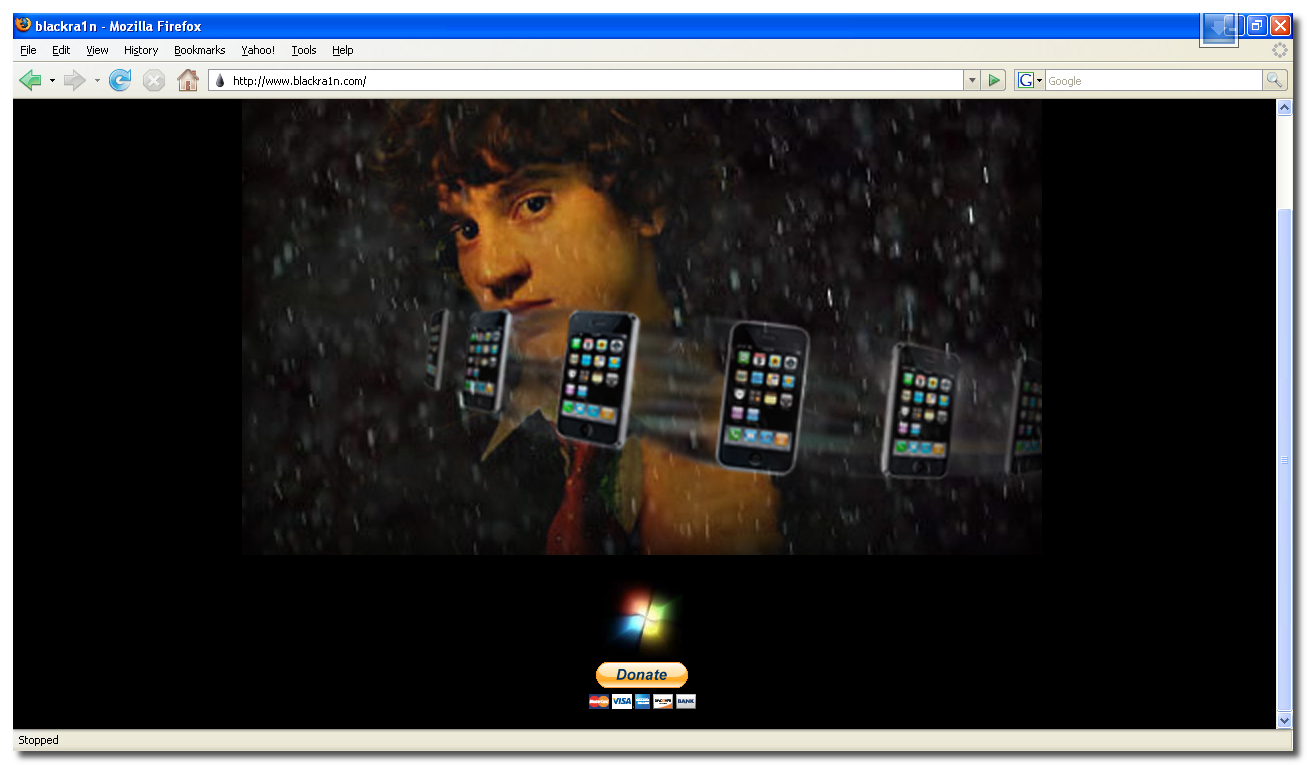
Open your web browser of choice and navigate to http://www.blackra1n.com. Click the Windows logo at the bottom of the screen.
Ok lets begin…
Step One
Open your web browser of choice and navigate to http://www.blackra1n.com. Click the Windows logo at the bottom of the screen.
 Step Two
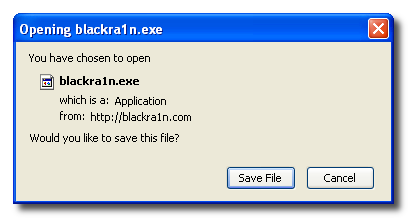
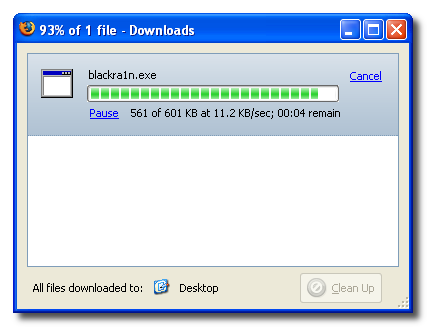
When prompted save the download to your desktop
Step Two
When prompted save the download to your desktop
 Step Three
Then double click the blackra1n executable file from the desktop to launch the program
Step Three
Then double click the blackra1n executable file from the desktop to launch the program
 Step Four
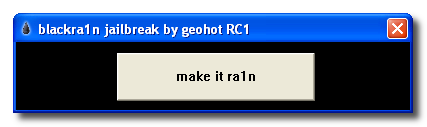
Make sure your iPhone or iPod is connected to the computer then click the large make it ra1n button
Step Four
Make sure your iPhone or iPod is connected to the computer then click the large make it ra1n button
 Step Five
You iPhone will now be placed in recovery mode.
Step Five
You iPhone will now be placed in recovery mode.
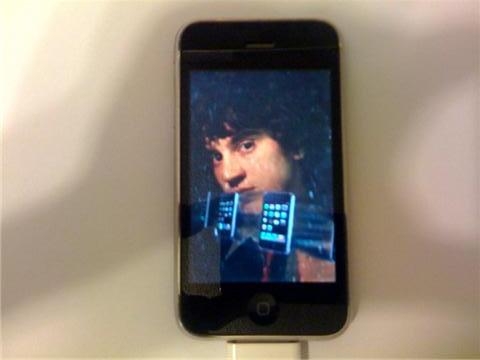
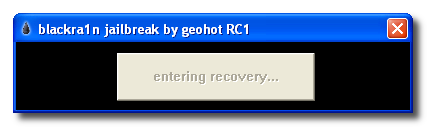 You will see a picture of GeoHot that replaces the regular recovery mode screen on your device.
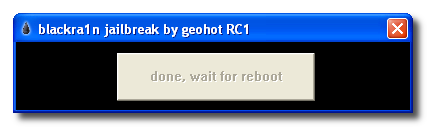
 blackra1n will run and then your device will reboot.

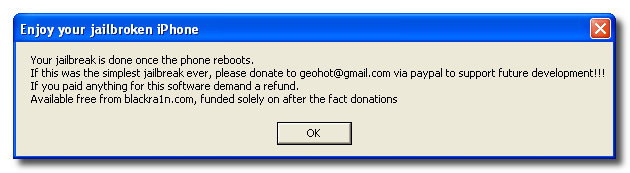
 A popup message will appear informing you that BlackRa1n is free software and if you appreciate it you can donate to GeoHot at geohot@gmail.com.
 Step Six
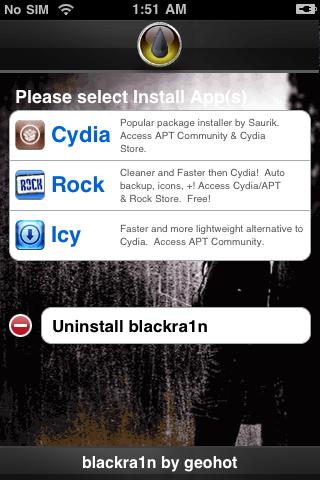
Once your device reboots it will be jailbroken and you will notice a blackra1n icon on the desktop. Make sure you have an internet connection and press to launch the application.
Step Six
Once your device reboots it will be jailbroken and you will notice a blackra1n icon on the desktop. Make sure you have an internet connection and press to launch the application.
 Choose the installer application of your choice then press the Install button at the top right of the screen
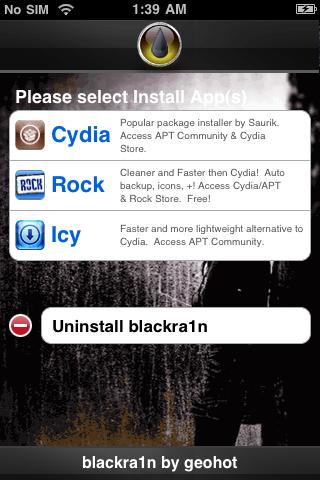
 BlackRa1n will begin to download and install the package you selected.
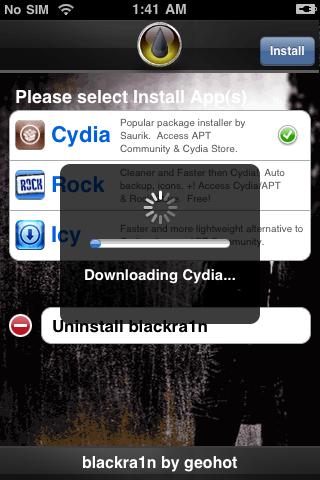
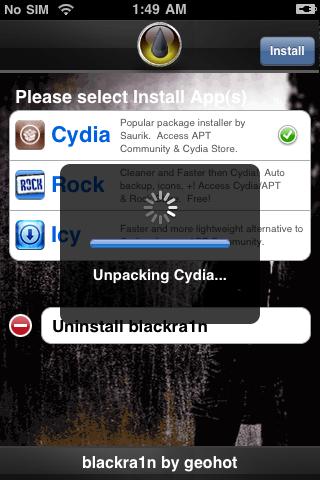 Step Seven
Once complete BlackRa1n will respring your iPhone and you will find the installer package of your choice on the Springboard.
Step Seven
Once complete BlackRa1n will respring your iPhone and you will find the installer package of your choice on the Springboard.
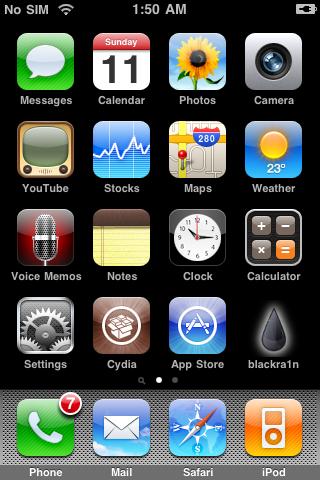 Step Eight
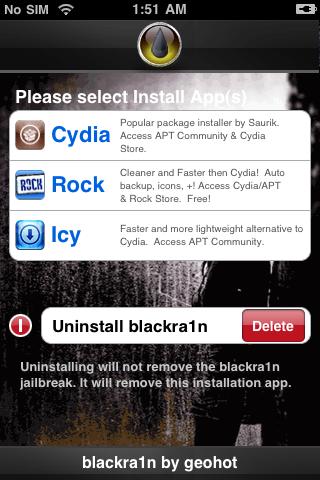
Once you have confirmed your installer package is working correctly you may use the Uninstall blackra1nbutton inside the BlackRa1n app to remove it from your springboard.
Step Eight
Once you have confirmed your installer package is working correctly you may use the Uninstall blackra1nbutton inside the BlackRa1n app to remove it from your springboard.
 ***THANKS: A big thanks to Geohot for making this jailbreak possible. Also thanks to those who contributed to making it a success.










October 21, 2009 - 3:06 pm
mine still not working help me please !!!
December 3, 2009 - 2:17 pm
will this work on ipod touch 2g? i cant seem to get the program to go onto the ipod no icon? also itunes wont let me downgrade back to 3.0 i keep getting an error
December 16, 2009 - 7:09 am
it worked!!!!! thanks man lol.
December 29, 2009 - 11:01 pm
this worked for me, however, when i download the winterboard, my ipod reboots and then makes me restore losing everything I have. i have the latest firmware. am I doing something wrong?
January 14, 2010 - 10:00 am
hello, can i do it with a ipod touch 1.1.5? 1G
January 20, 2010 - 2:25 pm
how long does it take???
January 22, 2010 - 3:44 pm
how long does it take and how do u do it!!!!!!!
February 1, 2010 - 8:16 am
dont work
February 4, 2010 - 2:47 pm
The Blackra1n icon will not appear on my ipod, i have an ipod touch 2nd gen with version 2.2.1
February 19, 2010 - 2:27 pm
For me it is not working, and I’ve done everything.
February 19, 2010 - 9:31 pm
worked for me in about 1-2 minnutes without any problems thanks guys
February 25, 2010 - 2:16 pm
same problem as ty, but i upgraded to 3.1.1 and now it worked
March 11, 2010 - 7:40 pm
When I try to jailbreak it, the screen looks really wierd. I have firmware 3.0 on a 2nd Generation iPod. Help
April 6, 2010 - 10:59 pm
fuck….. why my ipod 1G with firnware 1.1.5 doesn`t want to jailbreak by blackra1n???? it stops on running….
who can help me?
May 29, 2010 - 7:00 pm
Hey im trying to jailbreak my ipod touch and it kepps on saying done, wait for reboot so im trying to make it faster but i doesn’t seem like its working so can you plzz help me and make it faster thx i really want to jailbreak my ipod touch and i love the website blackra1n so plzz e-mail me and send me some ideas thx hopefully it will work thx Have a good day
Ashton Caron
May 29, 2010 - 7:59 pm
my ipod does like this almost blackish grey screen when its like suppose to have that dudes face on the screen.. HELP ME.
 thaanks peeeps. respond AASSSAAAAP.

June 14, 2010 - 12:56 pm
why doesnt geohot appear on my ipod
August 3, 2010 - 3:02 pm
to ABL if you go to felixburns.de, you can download a the firmware of your choice, al the way up to 4.0
August 11, 2010 - 6:49 am
i heard that my friend did this and he dropped it or something he brang it back to apple or something and they found out that he jailbreaked his ipod touch and for it to get repaired then he has to pay like $1,000 that wat he said. then he said that its against their rules or sumthin so im not sure. and watif my parents learn that i did this i dont even know how to uninstall this crap im not sure man,, please reply??!
August 23, 2010 - 3:43 pm
didn’t work at all on my ipod touch 1g can u please tell me how to SIMPLY jailbreak my 1g itouch 2.2.1 all i wanna do… shouldn’t be that hard!!! been trying for weeks now~!
August 24, 2010 - 8:26 am
mine is 1.1.5 it doesnt work what am ? going to do
September 1, 2010 - 7:43 am
fail @ step 5
September 5, 2010 - 2:33 am
My new iphone 4 is with firmware 4.0.2.
Can I use this blackrn1n to jailbreak.
Please somebody had done well, may I know?
September 16, 2010 - 5:52 pm
first you need to set your ipod touch or iphone on default mode …that is downloading the firmware and reseting using the lates itunes…then use the blackrain!!! it always work this way…and of course remember to update! XD
December 30, 2010 - 1:04 pm
hi peeps
i really could do with some help on jailbreaking my 1g ipod touch with 1.1.4
ive tried Ziphone but it cant seem to find the ipod
any help really appreciated..email me PLEEAASSEEEE
February 12, 2011 - 12:10 pm
hi guys,
can some one help to upgrade ios 1.1.5 to 4.1 ipod touch 1st gen. i have done jailbreaking using redsn0w but stuck @ 5 saying waiting for reboot doesn’t going further. please help me.
February 12, 2011 - 10:23 pm
help required. while jailbreaking using redsn0w my touch ipod 1st gen ios from 1.1.5 to 4.1 stuck @ waiting for reboot. not going further. now i can’t start my touch ipod. any help is much appreciated.